Ever since robotics could reliably automate many human tasks, engineers have been diligently trying to add the five senses to these capabilities – such as sight, hearing, taste, smell and touch. The most significant thing so far is the vision.
However, the way people see and the way machines “see” are very different. The human eye is a complex organ that works in unity with the brain. Machines can only capture images and, more specifically in terms of vision, a series of timed images.
In this case, a machine's camera is an important electronic sensor. Combined with the intelligence of a processor or controller, cameras can be used to design many useful applications.
Additionally, many camera sensors can be interfaced with Arduino, Raspberry Pi, and other single-board computing platforms. This means you can use computer vision in your electronics and robotics projects.
What is computer vision?
Computer vision is an interdisciplinary scientific field that encompasses the ability of computers to recognize and “understand” digital images and videos.
As it is currently almost impossible to perfectly replicate how real human eyes work, computer vision is largely focused on application-based problem solving using captured images or digital videos. To work effectively, it often incorporates artificial intelligence, machine learning, algorithms, and other specialized methods.
Although computer vision aims to replicate the abilities of human eyes, it is currently limited to extracting useful descriptions from images such as objects, text, paths or 3D models.
How is computer vision used?
Computer vision is used for detecting or recognizing objects through digital images and videos. It can also be used to track objects or plot paths using visual data. Object detection or recognition is typically used to solve application-specific problems.
Much like a gesture recognition system, it can receive commands through a user's hand gestures.
For example:
- In a surveillance system, computer vision can detect the movement of a potential intruder or even recognize a suspect.
- In a robotic application, it can find different paths, recognize target objects, avoid obstacles, analyze the environment and much more.
- In automation, it can be used to add vision-based artificial intelligence for quality control or efficiency.
- As a simple application, this vision system can keep a record of digital images or videos for the computer to recognize and track the environment around it.
Almost every application that computer vision is used for in robotics is to solve a problem using visual data.
The system
A computer vision system uses electronics and requires a camera sensor to capture images and videos. It also often uses sensors, a processor or computing platform (for programmatic image analysis), a controller and actuators.
The controller and actuators are essential for carrying out programmed tasks, based on image and video analysis.
Function
Designing a computer vision system involves an embedded design that uses a camera sensor and image processing for decision making. It is quite similar to designing any other embedded system
You might decide to add a camera to a robotics or electronics project for one of the following tasks:
1. Object Segmentation: To detect pixels that constitute an object in a captured image or video.
2. Object detection: to detect the object(s) in an image or video.
3. Object Identification: To identify the object(s) in a captured image or video.
4. Object Verification: To confirm the presence of an object using captured images or videos.
5. Object Classification: Classifying the object(s) in a captured image — a part of recognizing a particular object or class of objects.
6. Object Landmark Detection: To track the position of an object in captured images or videos.
7. Object recognition: recognize an object using image processing, machine learning and/or artificial intelligence techniques.
The use of computer vision in any electronic or robotic application/project can be divided into these steps… embedded system
You might decide to add a camera to a robotics or electronics project for one of the following tasks:
1. Digital image and video capture. This involves interfacing a sensor or camera module with a computing platform. Camera modules come with different features such as 2D/3D, RGB/Grayscale/Binary, Resolution, Frame Rate, etc.
Camera modules offer different interface options such as SPI, MIPI and USB. The camera is only used to capture images or a timed series of images. It can be analog or digital, and typically a digital one is used for computer vision applications.
2. Image pre-processing. After a raw image or digital video is captured with the camera, the computing system must perform filtering and preprocessing (some of which is initially done by the camera). This is because captured images may become blurry due to vibrations, movement, or other environmental factors.
It is extremely important to extract the necessary visual information from captured images through proper preprocessing to obtain accurate visual data.
Pre-processed images offer a lot of data. While a normal sensor, such as temperature or humidity, provides data a few bytes long, a single frame or color image (say, with a resolution of 640 × 480) involves 640 * 480 * 3 = 921,600 bytes of data. Therefore, the computer system must be able to handle a large amount of data.
3. Image processing. Image processing is fundamental in the development of computer vision projects. The purpose of adding computer vision is to extract meaning from captured images. This requires various image processing techniques and algorithms to extract the features from a single image, a set of images, or a series of timed images.
Often, inter-frame information must be extracted, such as for object landmark detection. And an essential task in any computer vision application is object segmentation. It is used for detection, verification, recognition, landmark detection, classification and/or object recognition.
4. Post-processing. After image processing techniques extract meaningful information from the image(s), the data can be further processed for higher-level feature extraction or pattern recognition.
5. Detection/recognition. Lastly, the computing system must be able to detect or recognize the object(s). Recognition is a complex process that uses classification, pattern recognition and identification.
6. Decision making. The purpose of collecting visual data is ultimately to accomplish a task. After the system detects and recognizes the object(s), the machine decides the next step. For example, a surveillance system could perform facial recognition using computer vision and then unlock a door for an authorized visitor.
7. Artificial Intelligence and machine learning. Computer vision systems use multidisciplinary fields that may include image processing, artificial intelligence, machine learning, or deep learning.
Camera sensors
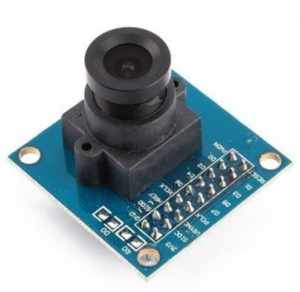
Typical camera modules used with Arduino or other microcontroller platforms include: OV7670, OV9655, Arducam MT9D111, Arducam MT9M001, Arducam OV5642, OV2640, Yosoo camera module, and Pixy smart vision sensor.
For Raspberry Pi, these cameras are often used: OV9281, OV2311, IMX 135, OV7251, IMX298, AR1820HS, and the official Raspberry Pi camera can be used.
For Jetson Nano and Xavier NX, consider: IMX477, IMX219, OV9281, OV7251 and OV2311.
Working with a computer vision application…
Using OpenCV
The Open Source Computer Vision Library (OpenCV) is a popular library that helps users apply various image processing algorithms and techniques. It's a game changer that simplifies sophisticated image processing tasks.
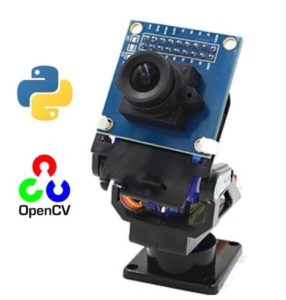
The library can be used with several programming languages, including C++, Java and Python. OpenCV can run on a desktop, Raspberry Pi or any single-board computer.
Using Arduino
By itself, Arduino is incapable of performing image processing and implementing computer vision applications. However, it can be combined with single-board computers and desktop systems to complement a computer vision project.
Arduino can also be used to interface with additional sensors such as temperature and humidity, or to control actuators such as motors, servos or relays.
Using RaspberryPi
Raspberry Pi is capable of running a complete computer vision application. You can install and run OpenCV on the Raspberry Pi and design Python, Java, or C++ programs to implement a computer vision project.
Using a Jetson platform
Along with image processing, the Jetson platform can add artificial intelligence and machine learning to a computer vision project. Nano and Xavier NX are their most popular cards.
Forms
Some of the most popular computer vision applications include:
- Gesture recognition
- Optical character recognition
- 3D model construction
- Machine inspection
- Facial recognition
- Object recognition
- Motion capture
- Surveillance
- Fingerprint recognition
- Medical images
- Starting motion (merging CGI with live actors in films)
- Automotive safety
- Barcode reading